
Client area
Gather documents and the tracking of a request, behind a login.
Does your need go beyond presenting your business? An app, a client area or an internal tool can simplify a booking, a follow-up or a repetitive task. We start by understanding who will use the tool and what it must allow, before choosing the solution and pricing the development.
A website that works on phones may be enough to read information and send a request. An app or a specific tool becomes relevant when usage requires an account, repeated actions or particular behaviour. We compare web, iOS and Android options according to the users, the features and the project's constraints.

We list the essential flows: sign-up if needed, booking, payment, notifications or tracking, depending on your business. Then we separate what must be available at launch from what can wait. The quote details the features selected, the access, the data and the dependencies on external services.
These examples help define your need; they are not a set of features automatically included.
Gather documents and the tracking of a request, behind a login.
Centralise a schedule or limit double entry for your teams.
Organise a booking and its steps, with notifications.
Connect the tool to your existing services: payment, invoicing, messaging.
The Maiko Spa case study presents the website and the app built for its operations. The Work catalogue also identifies published projects, those in beta and those still in development. We state each project's status so you can judge what is actually usable.

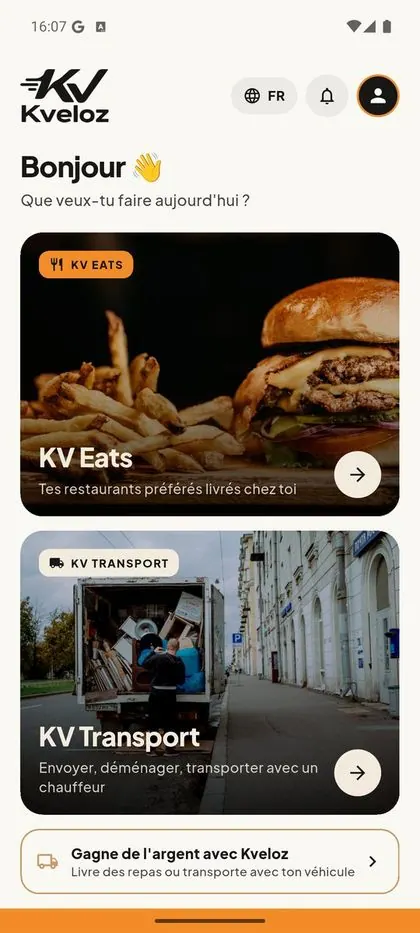
Meal delivery and goods transport in Panama: one mobile app, three websites, a restaurant area and a portal for delivery riders and drivers.
View kveloz.com
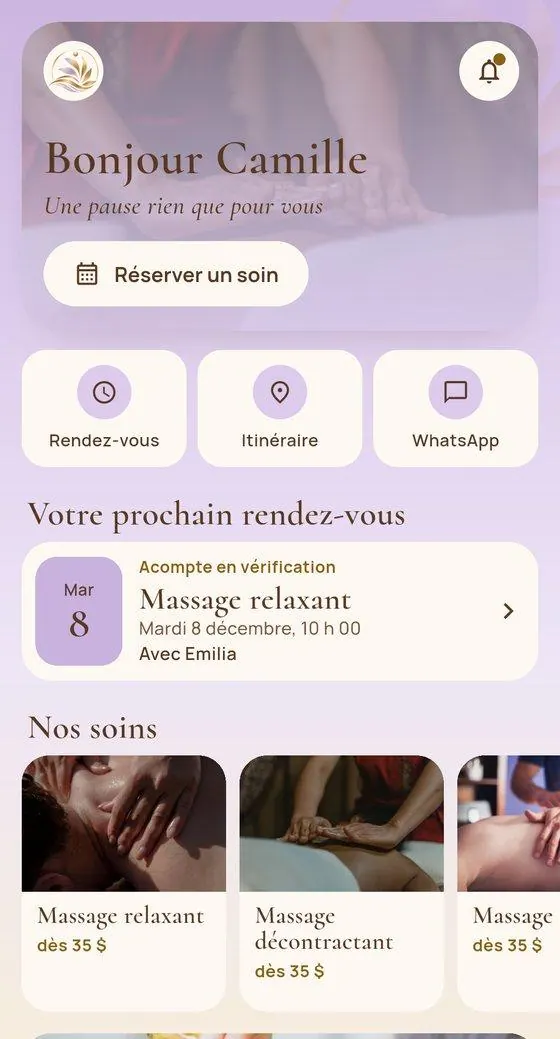
Maiko Spa's booking app: appointments, deposits and notifications on the phone, connected to the spa's website and admin area, to keep all the data in one place.
Read the case study
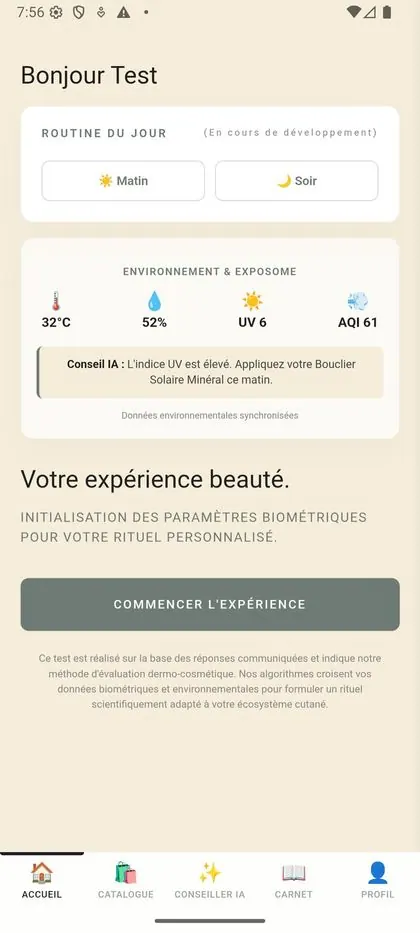
Luxury dermo-cosmetics: skin diagnosis, selfie analysis, ingredient scanning and built-in store.




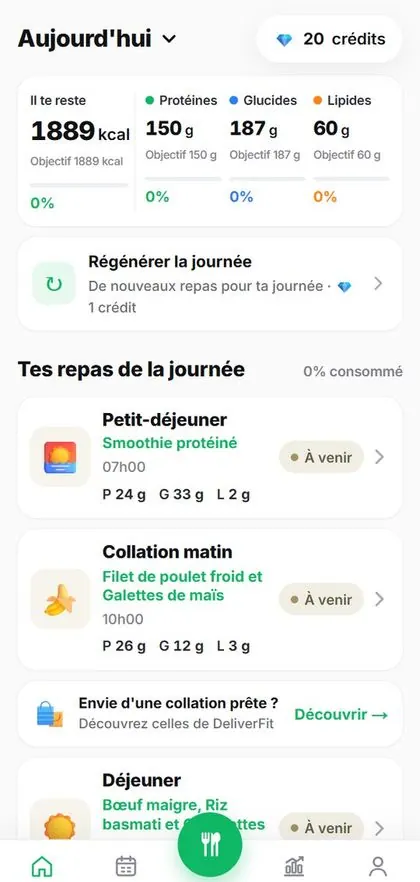
Nutrition coaching for DeliverFit, in Switzerland: AI-calculated meal plan, journal and photo-based meal analysis.

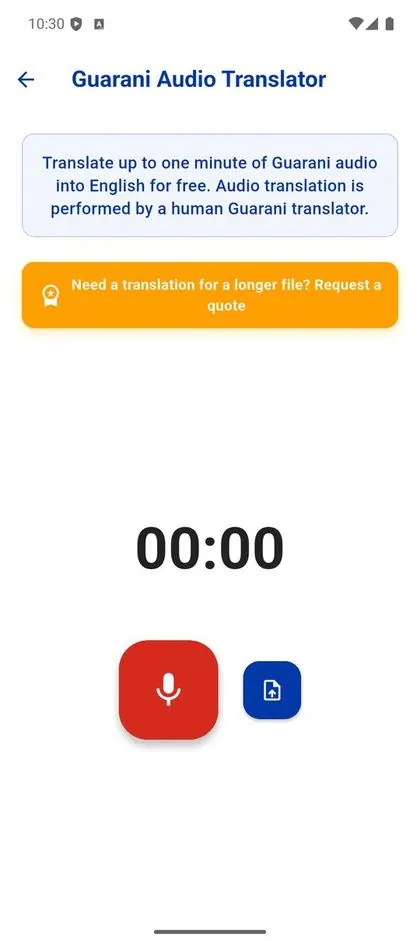
Voice and written translation between Guarani and English, with an offline mode for remote areas.

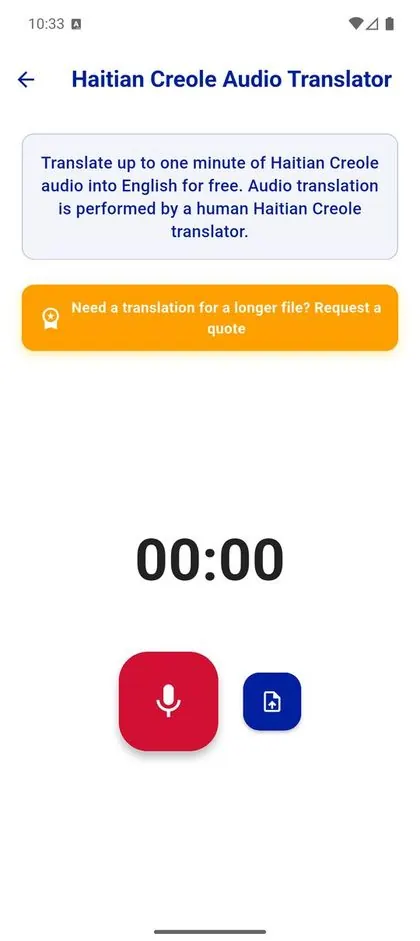
Voice and written translation between Haitian Creole and English, designed for everyday use.
Google Play and the Google Play logo are trademarks of Google LLC.
Conversation about the users, the need and the constraints.
List of features and choice of a first version.
Detailed quote, stages and estimated schedule.
Preparation of the screens and the behaviour to approve.
Development, flow testing and fixes.
Delivery or preparation for publication as per the quote.
Mobile apps and custom tools: by quote. The price depends on the screens, features, accounts, integrations, storage and platforms chosen. The quote separates development from recurring costs: hosting, third-party services, developer accounts and any maintenance. Quoted prices follow Nexacare's tax status. No €39/month website maintenance plan automatically covers an app.
The schedule is set according to your project's scope. Review times and publication decisions on the stores are up to Apple and Google. The first reply within 2 business days clarifies the need; a complex project may need a scoping phase before pricing.
Describe its users, the essential actions and the tools you already use.
Talk about my appNot always. We look at the usage first. A mobile website or a web app may meet the need; the choice depends on the features and the users.
Yes, within the agreed scope. The quote specifies the platforms, features, tests and the terms of delivery or publication.
The quote states whether publication is on your developer account or Nexacare's, under the terms set out in the T&Cs. Fees and responsibilities are kept separate; the stores have the final say.
Fixes and warranties follow the contract. Technical follow-up, third-party services and changes after delivery are specified in the quote or in a separate agreement.
After full payment, the complete code and the rights to the specific creations are handed over as per the T&Cs. Templates and third-party components remain subject to their own licences.
Tell us your business and your town. We look at how you appear on Google and what is costing you clients.
Tell us your business, your town and your current website if you have one. Say what you want to create or improve.
Tell us your business, your area and your goal. We review your current presence to identify priorities.
Send us its address and your need. We check the conditions for taking it on before proposing next steps.
Wedding, birthday, online CV or hobby: tell us what you want to show and to whom.
Describe its users, the essential actions and the tools you already use.